
Why Everyone’s Talking About Bootstrap Upgrades in 2025
Bootstrap isn’t just a CSS framework; it’s the foundation of millions of websites, from personal blogs to enterprise platforms. But with Bootstrap 5.3, the framework has taken a big leap forward. The focus is on:
- Performance: leaner code, faster rendering.
- Modern features: built-in dark mode, better grid options.
- Future readiness: compatibility with modern browsers and JavaScript frameworks.
In 2025, this upgrade isn’t just about “keeping up.” It’s about future-proofing your projects so they don’t feel outdated a year from now.
The real question for most teams is: Should we upgrade now, or wait until something bigger comes along?
The Hidden Reason Developers Can’t Quit Bootstrap
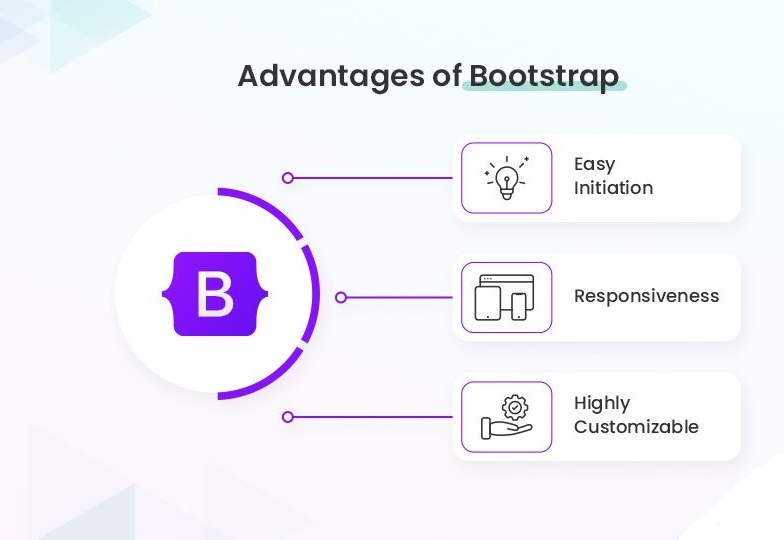
React, Tailwind, Foundation, Bulma — the alternatives are everywhere. Yet Bootstrap still leads. Why?
- Reliability: It has been around for over a decade, battle-tested across industries.
- Speed: Prebuilt responsive components mean faster time-to-market.
- Consistency: Whether it’s a freelancer or a Fortune 500 team, everyone speaks “Bootstrap.”
- Community support: Endless tutorials, plugins, templates, and a huge developer base.
In short: Bootstrap isn’t just a tool. It’s a safety net for developers who want to move fast without breaking things.
What’s New (and Surprisingly Powerful) in Bootstrap 5.3
Bootstrap 5.3 introduces upgrades that feel small on paper but huge in practice:
- Smarter Grid System: More breakpoints, container queries, and flexibility for complex layouts.
- Dark Mode Without the Headache: Native theme switching with CSS variables instead of hacks.
- Utility API: Write less custom CSS. For example, instead of creating your own .mt-10, you can now generate spacing utilities on the fly.
- Improved Forms: Cleaner, more accessible, with validation styles built-in.
- Accessibility Improvements: ARIA attributes and semantic HTML support to improve screen reader compatibility.
These updates aren’t just “nice-to-have.” They make real-world development faster and cleaner.
Why Sticking to Old Versions Could Cost You More Than You Think
If you’re still on Bootstrap 3 or 4, here’s what you risk:
- Security holes: Older versions don’t get patches.
- Browser breakage: Modern browsers evolve fast — old frameworks don’t always keep up.
- Developer onboarding issues: New developers are more familiar with Bootstrap 5.
- Lost time: Fixing bugs in outdated code takes longer than upgrading.
Think of it like running a business on Windows XP. It “works” — until it doesn’t.
The “Gotchas” No One Tells You About Upgrading Bootstrap
Every upgrade has surprises. With Bootstrap, you might encounter:
- Renamed or removed classes: e.g., .form-inline is gone.
- JavaScript changes: Bootstrap 5 dropped jQuery — meaning you need to check your scripts.
- Component changes: Navbars, modals, and cards have slight markup adjustments.
- Custom CSS conflicts: If your CSS overrides old Bootstrap classes, you’ll need to rewrite parts.
Pro Tip: Create a test branch for the upgrade. Never upgrade directly in production.
Tools That Make Bootstrap Migration Way Less Scary
Don’t do it alone — use tools to make migration smooth:
- Official Bootstrap Migration Guide → lists breaking changes and fixes.
- DiffCheckers / Git Diffs → compare old vs new code quickly.
- Linters & Testing Frameworks → ESLint, Stylelint, Jest, Cypress help catch issues.
- Bootstrap Upgrade Tools (Community-built) → automated find/replace for class names.
Upgrading feels overwhelming until you realize you don’t need to memorize everything — you just need the right checklist + tools.
What Happens If You Don’t Upgrade?
Picture this:
- A client asks for dark mode, but your Bootstrap version can’t deliver.
- A Chrome update breaks your flexbox layouts.
- A security researcher flags your outdated Bootstrap as a vulnerability.
In short: not upgrading isn’t staying safe — it’s taking a gamble.
How to Upgrade Without Breaking Everything
Here’s a simple upgrade roadmap:
- Backup your project (Git branch, zip file, cloud storage).
Update Bootstrap (via CDN or npm):
npm install bootstrap@5.3.3
- Fix deprecations: Check migration guide for class name changes.
- Test components individually: Navbar, forms, modals, grid.
- QA across browsers and devices.
- Deploy gradually — test on staging before pushing to production.
Treat it like a “spring cleaning” for your codebase.
Quick FAQ Before You Hit Upgrade
Q: How do I upgrade from Bootstrap 4 to 5.3?
Replace your CSS/JS files, fix class changes, test components.
Q: What should I check before upgrading?
Any custom overrides, especially forms and navbars.
Q: Is upgrading worth it in 2025?
Absolutely. You’ll save time, reduce bugs, and stay future-ready.
Q: Should I wait for Bootstrap 6?
Bootstrap 6 isn’t here yet. Waiting just delays your benefits.
Upgrade or Get Left Behind
Bootstrap 5.3 isn’t “just another update.” It’s a reminder that the web doesn’t wait.
- If you upgrade now: you stay modern, secure, and competitive.
- If you delay: you’ll eventually be forced to upgrade, but under pressure.
Your choice is simple: upgrade on your terms now, or upgrade later when your site breaks.
The smartest businesses are already upgrading. The only question is: will you be one of them?
Don’t waste weeks figuring out Bootstrap migration on your own. At GeeksPerHour, you can hire a pre-vetted Bootstrap expert instantly — no long interviews, no vetting hassle.
Get your upgrade done faster, cleaner, and safer.
[Hire Your Bootstrap Developer Today → GeeksPerHour]
Leave a Reply